




A real estate business I worked with had bought Zoho CRM two years before I ever met them, and they were using maybe fifteen percent of what it could actually do — if that. Every lead sat in one generic pipeline, whether it was a first-time enquiry or someone ready to sign on the dotted line. No automation, no lead scoring, nothing separating a serious buyer from someone who'd clicked an ad once out of idle curiosity. They weren't using a bad tool, to be clear. They were using a good tool badly, because nobody had ever actually sat down and customized it around how their sales process really worked in practice.
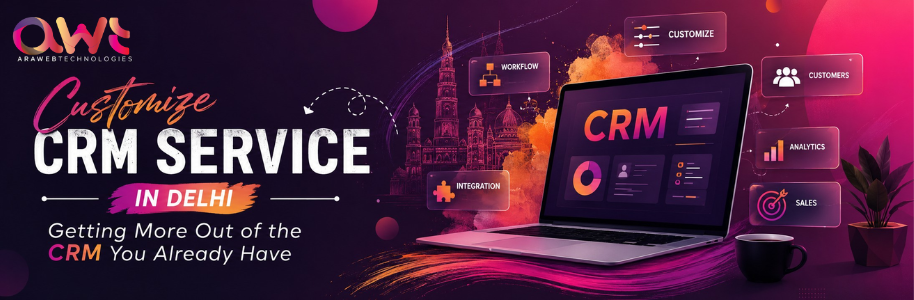
That's the gap a proper CRM customization service fills, and it's genuinely different from building something from scratch, even though people mix the two up constantly. Custom development means writing a system from the ground up. Customization means taking a platform you already own — Zoho, Salesforce, HubSpot, whatever it happens to be — and reshaping its fields, workflows, and automations to actually fit your business, instead of forcing your business to awkwardly fit the software's defaults. Whether you're after Zoho CRM customization services specifically or something broader through general CRM configuration services, the underlying approach stays largely the same.
Quick answer: A customize CRM service in Delhi takes an existing CRM platform and configures custom fields, pipelines, automation rules, and integrations around your actual sales or service process, without the cost or timeline of building a system from zero. This is the right move for most businesses whose current CRM feels clunky or half-used, rather than genuinely incapable of doing the job.
Why Businesses Reach for This, Usually a Year or Two Late
Most businesses buy a CRM, set it up with whatever default fields came pre-loaded, and then never touch the configuration again — not out of laziness exactly, just because it works fine at first. There's only a handful of leads to track early on. The trouble starts once the business actually grows and that default setup can't keep pace with how the team's really selling by then.
I watched this play out pretty clearly with a local clinic that had adopted a basic CRM mainly just to stop losing patient enquiries somewhere in an inbox. It technically worked, sure. But appointment types, insurance details, and follow-up reminders all had to be tracked manually outside the system anyway, because nobody had ever customized fields for any of it. The CRM was doing maybe a third of the job it was actually capable of, and the front desk staff had quietly built their own parallel system in a notebook to cover everything else it wasn't handling.
What Actually Counts as Customization
People use this word pretty loosely, so it genuinely helps to separate it out clearly. Configuration means adjusting settings within what the platform already allows — renaming fields, setting up basic automation, adding users, that kind of thing. Customization goes quite a bit further: building custom modules, designing multi-stage approval workflows, connecting third-party tools through APIs, and setting up reporting that actually reflects your specific business instead of some generic template everyone gets by default. Full custom development, by contrast, means building a CRM from absolute scratch, which honestly very few businesses actually need, whatever a sales pitch might suggest.
Most businesses looking for a "customize CRM service" genuinely mean this middle option, even if they don't always know to phrase it that way when they're searching. And that's usually the right instinct anyway, since it delivers most of the benefit of a fully custom system at a fraction of the cost and time. What this actually looks like varies by platform too — working with a dedicated Salesforce customization company involves a different set of tools and constraints than HubSpot customization, even though the underlying goal of fitting the software to your process stays the same either way.
How This Actually Gets Done, Step by Step
Map the real sales or service process first
Before touching any settings at all, someone needs to actually sit with the team and watch how leads move day to day — not how the org chart claims they should move, but what genuinely happens in practice. A CRM customized around some idealized process that nobody actually follows just becomes another tool people quietly work around, the same way the old one probably was.
Identify what the current setup is actually missing
This usually surfaces pretty fast once someone starts asking the right questions. Missing fields, pipelines that don't match reality, no automation for repetitive tasks, reports that don't answer what the business actually needs answered. That real estate business I mentioned earlier needed lead scoring and a proper multi-stage pipeline separating cold enquiries from active negotiations — neither one existed anywhere in their default setup.
Build custom fields and pipelines around actual data, not guesses
Getting this right matters more than it seems at first glance. Fields that don't map to real decisions just become noise nobody bothers filling in accurately, which quietly poisons every report built on top of that data later on down the line.
Set up automation for the repetitive stuff nobody enjoys doing
Follow-up reminders, lead assignment rules, status updates triggered by specific actions — all of this should run on its own, without someone manually babysitting it every day. Good CRM workflow automation is really the difference between a system that saves time and one that just adds another screen to check. There's a manufacturing company I know that cut a meaningful chunk of admin time once lead assignment stopped requiring a manager to manually forward every single enquiry by email, one at a time.
Connect it to the tools people are actually using
A CRM sitting apart from your website, email, and accounting software does a fraction of its actual job. Lead capture forms should feed in directly, without anyone copying and pasting. This is where integration work matters just as much as the customization itself, honestly, and it's the step most businesses skip entirely when they try to DIY their own configuration. A dedicated CRM integration company Delhi NCR businesses actually trust will usually flag these gaps in the first conversation, before any customization work even starts.
Train the team on what actually changed
New fields and workflows mean absolutely nothing if the sales team just keeps working the old way out of habit. A short, focused training session, followed by someone checking in a few weeks later to see what stuck, makes the real difference between adoption and a slow, quiet drift back to spreadsheets.
Common Mistakes Businesses Make
Assuming the CRM itself is the problem when really, it's the setup underneath it. A lot of businesses end up switching platforms entirely, at real cost and real disruption, when a proper customization of what they already have would've solved the exact same problem for a fraction of that.
Customizing based on what looks impressive in a meeting rather than what's actually needed day to day. I've seen businesses request elaborate automation workflows that sounded genuinely great when someone pitched them, but nobody on the sales team actually understood or used any of it once it went live.
Skipping the data cleanup before customizing anything. Messy, duplicated, or outdated records carried straight into a newly customized system just make the mess look more organized on the surface — they don't actually make it cleaner underneath.
Not involving the people who'll actually use it every day. A customization built entirely by management, without any input from whoever's logging calls and updating deals in real time, tends to miss the practical friction points that matter most once it's actually in daily use.
Treating customization as a one-time project you never revisit. Sales processes evolve, sometimes faster than people expect. A CRM customized once and never touched again slowly drifts out of sync with how the business actually operates a year or two down the line.
Customization vs. Full Custom Development: An Honest Comparison
People ask me which route to take fairly often, and the honest answer usually comes down to whether the platform's actually failing you or just poorly configured. Here's how the trade-off breaks down:
|
Factor |
CRM Customization |
Full Custom Development |
|
Cost |
Lower, works within existing platform |
Higher, built from the ground up |
|
Timeline |
Weeks to a couple of months |
Two to four months or longer |
|
Flexibility |
Good, within the platform's architecture |
Unlimited, built exactly to spec |
|
Ongoing updates |
Handled by the platform provider |
Your responsibility or your developer's |
|
Best suited for |
Most businesses with standard-ish workflows needing a better fit |
Businesses with truly unique processes no platform can accommodate |
Most businesses reaching for the phrase "customize CRM service" already own a platform that's more capable than they realize, honestly. Full custom development only really becomes worth it once a business has genuinely tried to fit their process into an existing platform and hit a real, structural wall trying to do it, not just an inconvenience.
Expert Tips Worth Acting On
Start with a proper audit of your current CRM before adding anything new to it. Half the fixes needed are usually about removing unused clutter, not piling more features onto an already confusing setup.
Ask whoever's doing the customization work to show you the actual workflow they're proposing, visually, before they start building it out. Reviewing a diagram catches mismatches far earlier than reviewing a finished, half-built system does.
Prioritize automation for the tasks your team actually complains about most, not necessarily the ones that sound most impressive to build in a proposal. The mundane fixes usually deliver the most real time savings, even if they're less exciting to talk about.
Clean your data before migrating it into any newly customized fields. Garbage in, garbage out applies here more than almost anywhere else in a CRM project, and it's tempting to skip because it's tedious work.
Revisit the customization every six to twelve months or so. What fit your sales process a year ago may not fit it anymore, especially if the business has grown or shifted direction since then.
Checklist Before You Start a Customization Project
Worth being honest about a few things first. Has anyone actually mapped your real sales or service process, or is this being guessed at in a meeting room somewhere? Are you clear on what's genuinely missing versus what's just sitting there unused right now? Will the customization actually connect to your website and other tools, or sit isolated the way it probably does today? Is there a plan to clean up existing data before all of it gets carried into the new setup? Will the actual team using this daily be involved in reviewing it before it goes live? And is there a plan to revisit and adjust the setup periodically, or is this meant to be a one-time fix nobody touches again?
Conclusion
Most businesses don't actually need a new CRM. They need the one they already have set up around how their team really sells, not around whatever defaults came pre-loaded the day someone first signed up. That distinction saves real money and real time, and it's worth checking honestly before assuming a bigger, more expensive fix is the only option on the table.
CTA
Ara Web Technologies handles CRM customization alongside broader development and integration work, mostly because getting more out of an existing system usually beats rebuilding one from zero. As part of our wider CRM consulting services, we'd rather point out that a customization fixes your problem than sell you a bigger project you don't actually need. If your current CRM feels clunky, underused, or quietly ignored by half your team already, it's worth getting an honest look at what's actually fixable before committing to anything bigger.
FAQs
What's the difference between CRM customization and custom CRM development?
Customization adjusts an existing platform's fields, workflows, and automations to fit your business better. Custom development builds an entirely new system from scratch, which costs considerably more and takes noticeably longer to deliver.
How much does CRM customization typically cost?
Depends a lot on the platform and how complex the workflows are. Simple customizations cost far less than deep, multi-module builds. Get a clear scope before comparing quotes across different providers.
Can any CRM platform be customized?
Most modern platforms like Zoho, Salesforce, and HubSpot support significant customization, generally speaking. The extent varies by platform and pricing tier though, so check what your specific plan actually allows before committing to anything.
Do I need to switch CRM platforms if mine feels limiting?
Not always, and honestly, probably not. Many limitations come from a poor initial setup rather than the platform itself being at fault. A proper customization often resolves the issue without the cost and disruption of switching systems entirely.
How long does a typical CRM customization project take?
Most projects run a few weeks to two months, depending on complexity and how many integrations are involved. Larger, multi-department customizations with heavy automation can take longer to plan and get right.
Leave a comment
If you have any questions or would like to book a session please contact us.